
CyberSEO Pro – Auto-comments
The CyberSEO Pro plugin allows you to post comments automatically, using your own prepared comment lists, external RSS feed sources or generate them with AI.
First of all, you have to create a comma-delimited list of author names, insert it into the “auto-comments authors” box and save the changes. To fill out that list just google for “popular names” and “popular nicknames”.
Auto-comment method #1
Assign a unique name to the campaign. Then, fill out the “Comments” box. Put your prepared comments in there, one per line. Make sure the comments are relevant to the post categories you specify in the “Select post category” box. Don’t forget to include your keywords. Once you have created the comment list, you can instruct the plugin to shuffle and spin the comments.
If the “Delete on Posting” option is enabled, the comments will be removed from the “Comments” list to prevent the same comment from being posted twice.
Auto-comment method #2
Another method of automatic comment generation lets you use external RSS feeds as sources for comments. This method allows you to use comment RSS feeds from other websites. The image below shows an example of an RSS-feed-based auto-comment source. You can use any RSS or Atom feed. It can be a regular blog feed, a marketplace product feed, and so on.
All auto-comments added from text lists and RSS feeds can be automatically rewritten with AI. Thus, comments or entire articles imported from third-party RSS feeds are transformed into unique comments under your WordPress posts and articles.
Auto-comment method #3
The CyberSEO Pro plugin uses AI to automatically generate WordPress auto-comments. Create a new auto-comment campaign, select the WordPress category under which you want new comments added, and write a prompt according to your needs. Then, specify the comment style, goal, and keywords. The plugin will analyze articles on your site and automatically add relevant comments to them.
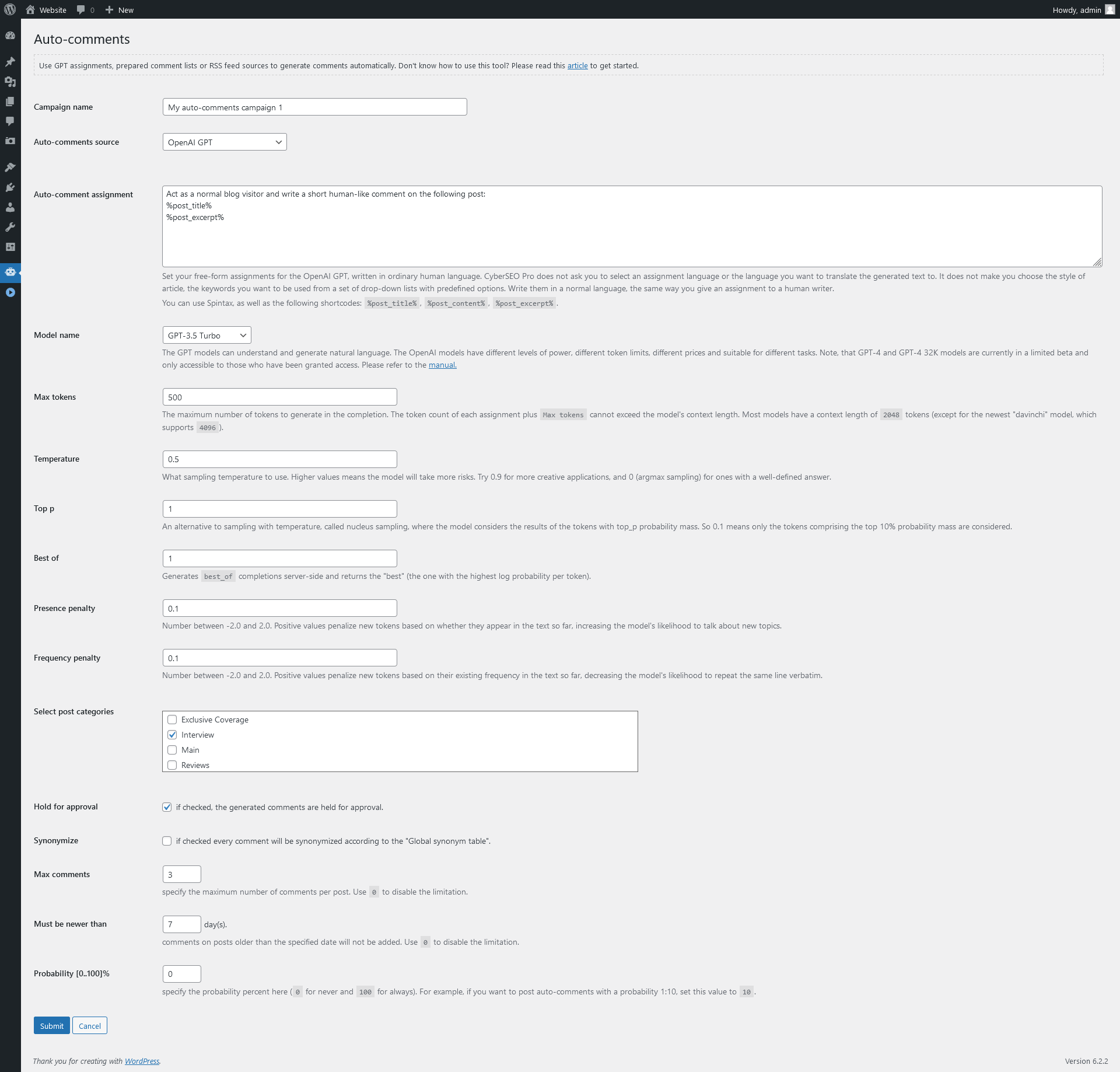
The auto-comments module works in the following way. When someone opens your blog post in the browser, the plugin checks if it meets the campaign requirements (i.e. if the post categories meet the campaign ones). Then according to the specified probability % (0 – never, 100 – always), the CyberSEO plugin makes a decision on posting of comment.